No redirect – everything happens inside your checkout.
Let customers pay by card faster – directly in your checkout
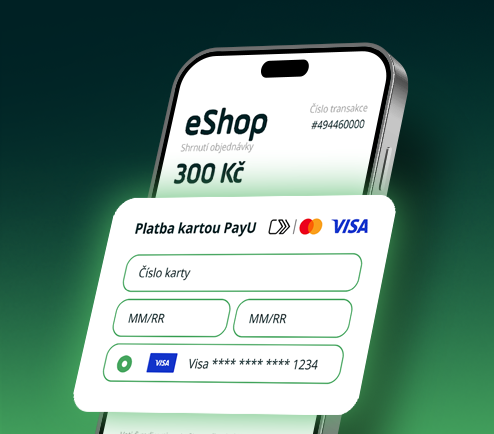
Click to Pay is the global card standard from Visa and Mastercard: a buyer from Czechia saves a card to their Click to Pay wallet once and reuses it across stores in Europe and beyond, without re-entering card details. Click to Pay works across various devices, providing a seamless and user-friendly payment process.
Redirecting shoppers to a hosted payment page or asking them to retype their card details adds friction right when they are ready to buy. Abandoned carts. Lost revenue.
Click to Pay Secure Elements embeds the payment experience directly in your e-shop’s checkout, rendered by the PayU JavaScript SDK – with NO redirect to PayU’s payment wall. This way, your clients use their saved cards and pay in a fast, familiar card-wallet flow. Their Click to Pay profiles are recognized by email or trusted device.
Click to Pay Secure Elements can be adopted regardless of which card payment integration you currently use – redirection to PayU’s hosted payment wall, PayU Secure Fields, or your own card form.
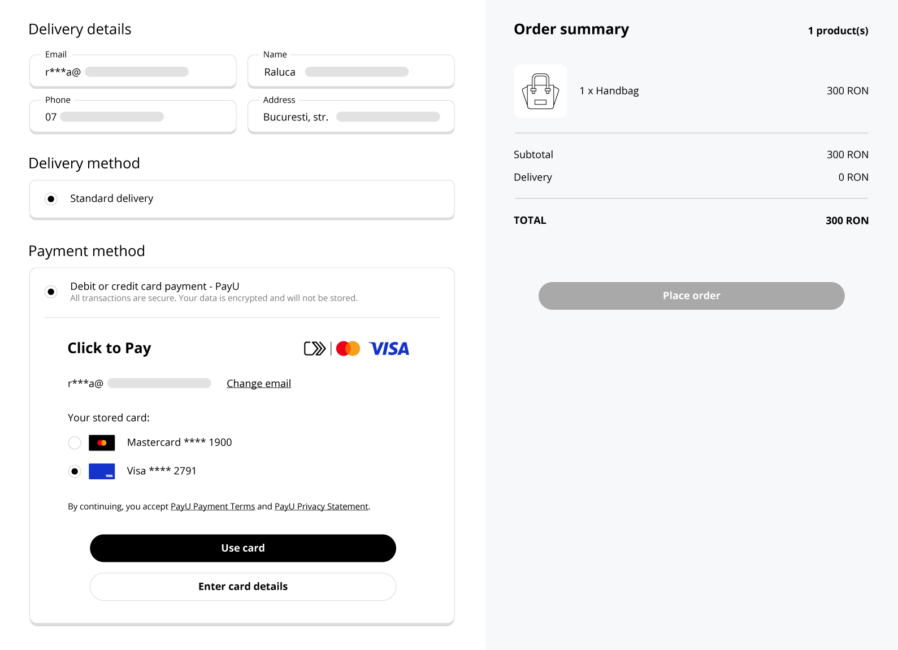

Less abandoned carts, by removing the friction in checkout. Plus, the wallet holds several card.

The shopper stays in the merchant’s branded checkout end to end.

With the default saved card; optional card selection & issuer authentication.

Smooth setup via a PayU JavaScript SDK

Card data tokenized & encrypted by Visa / Mastercard.

Works alongside other methods in the same checkout. All transactions are tagged in the Admin Panel.
Use the demo shop to experience Click to Pay Secure Elements from both the shopper’s and the merchant’s perspective.
You can preview how the component works inside an ecommerce checkout and test key shopper scenarios, including:
It includes also a visual configurator: adjust colors, fonts, buttons, input fields, borders, corner radius, and light/dark mode, see your changes live, and export a JSON styling config for your integration.
You can explore everything with the default demo setup, or connect it to your own PayU account by selecting the right environment and entering your authorization details – the demo will pull the Visa and Mastercard Click to Pay configuration linked to your point of sale. Adding a buyer email is optional, but it speeds up wallet recognition.
No redirect – everything happens inside your checkout. Network tokenization plus issuer authentication, with reduced PCI scope. All data ata is captured by PayU’s hosted SDK, never touching your servers. Use it for the guest checkout flow, replacing redirection to a card form or single-use Secure Form. Keep Secure Form for the logged-in flow, where you offer to save cards in the user’s account in your e-store. Sure, have a read on this page. Full info is here. Most popular payment methods in the Czech Republic! Get started in just four simple steps.
FAQ (5)
Will customers leave my site?
Is it secure?
When should I use Secure Elements?
Can I learn more on Click to Pay?
Where can I find the integration documentation?

Activate PayU